
Microsoft Word Add-in forPlagiarism Detection
Native plagiarism detection directly inside Microsoft Word. Download our dedicated one-click installer for Windows, or install via Microsoft Marketplace for Word Online and Office 365.
Note: macOS users should use the Word Add-in from the Microsoft Marketplace.
Why Choose Our Office Add-in?
Experience the power of Checkmark's plagiarism detection directly within Microsoft Word, the environment where your students are already working.
Windows Word Installer (.msi)
One-click MSI installer designed specifically for Microsoft Word on Windows. Fast and effortless deployment for teachers and lab workstations.
Native Word Ribbon Integration
Embeds seamlessly into the Word ribbon. Students write naturally while educators analyze authenticity without leaving Microsoft Word.
Real-time Typing & WPM Detection
Analyzes typing cadence, words-per-minute bursts, and live revision history as assignments are written.
Teacher-Designed Algorithm
Built by educators who understand how to spot plagiarism and AI text through authentic writing behavior and revision trails.
Private In-Document Storage
Session data and revision metrics are stored safely right inside the document — never exported to external servers.
Instant Authenticity Reports
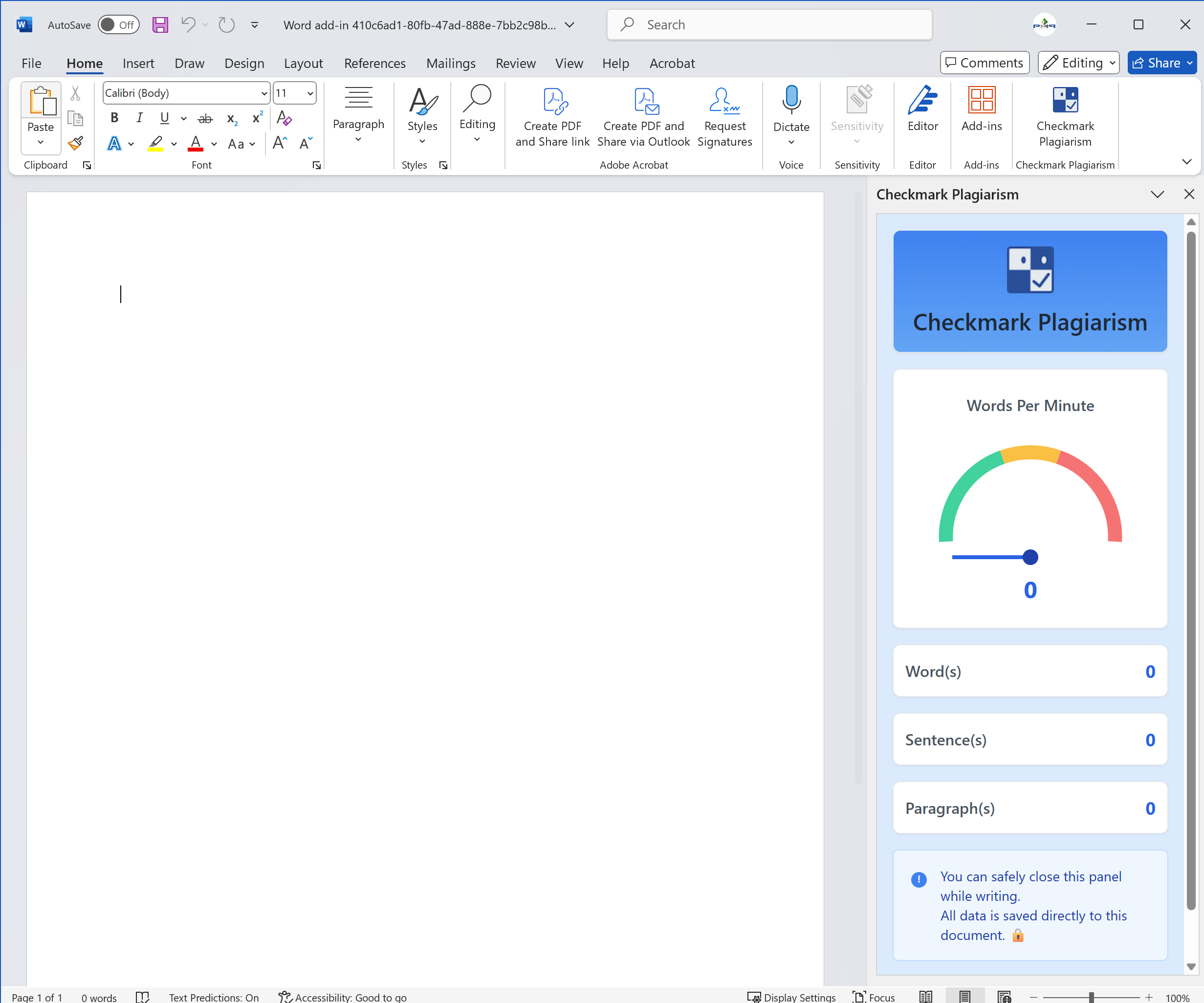
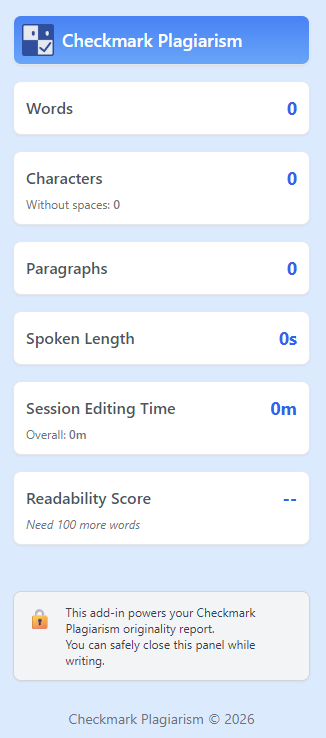
Get comprehensive analysis reports with authenticity scores, word counts, and revision timelines directly in the task pane.
How It Works
Teachers can often tell when writing has been copied by looking at revision history. Our add-in automates this process with sophisticated analysis right inside Windows Word.
Choose Your Platform
For Windows Word, download and run our dedicated checkmark_plagiarism_addin.msi installer. For macOS and Word Online, install the official Word Add-in directly from the Microsoft Marketplace.
Open Microsoft Word
The add-in appears directly in your Word ribbon. Students work normally while typing patterns, WPM, and revisions are monitored in real time.
Automatic Analysis
Our educator-designed algorithm tracks typing speed, sudden bulk insertions, and revision history to detect potential plagiarism automatically.
Review Results in Word
Get instant authenticity scores and flagged sections inside the Word task pane to guide fair, informed grading.
Checkmark Add-in Interface
Seamlessly integrated into Microsoft Word
Ready to Bring Plagiarism Detection to Microsoft Word?
Download our dedicated installer for Windows (.msi), or get the Word Add-in from Microsoft Marketplace for macOS, Word Online, and Office 365.